How to sync your video with your song
To sync a video with your song, film it with the song playing, line up the video’s sound with the track, then keep the song as the sound. By hand, that means sliding each take until the two sounds match. Stalak listens to each take and lines it up for you, then lets you nudge it one frame at a time.
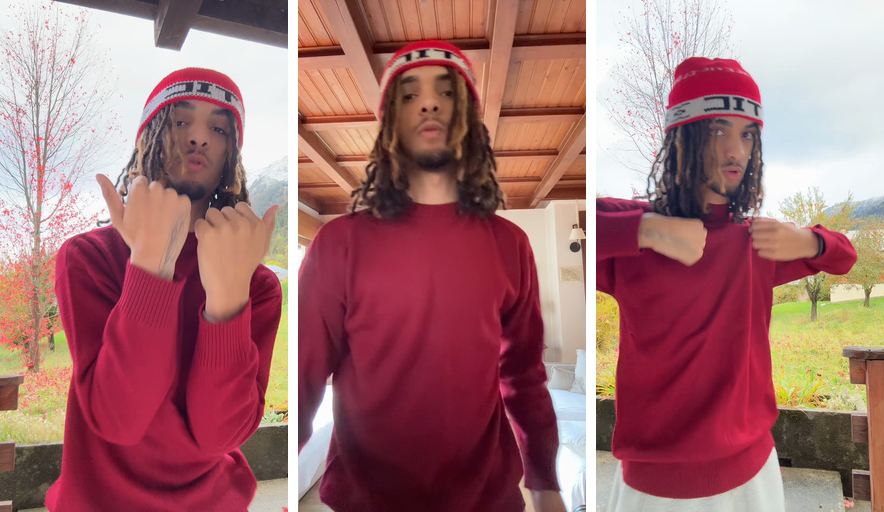
Before: 3 takes
After: Stalak’s edit
How do you sync separate audio and video files?
Put the song and the video on the same timeline, find the same moment in both, like a kick, a clap or the first word, and slide the video until they match. Then mute the video’s own sound and keep the song. The clearer the sound in the video, the easier it is.
- Film with the song playing out loud: the video’s sound becomes your guide.
- Clap once in front of the camera at the start of a take: it gives you a sharp spike to line up.
- Line up on a sharp sound, never on a held note.
How do you fix a video whose sound is out of sync?
Move the video against the sound, one frame at a time, until the lips match on the closed-mouth sounds like P, B and M. At 30 frames per second, a frame lasts a thirtieth of a second: tiny, but you see it on a mouth.
- Check several moments, not only the start.
- If a part of the song repeats, make sure the take is lined up on the right one.
- If the lips are late everywhere, move the take earlier; if they’re early, move it later.
Why use the song instead of the video’s sound?
The phone’s microphone records the room: the echo, the speaker, your voice over the track. The song file is the real mix. Lining the video up with it gives you the studio sound with your performance on screen.
How does Stalak sync your takes?
When you add a take filmed with the song playing, Stalak listens to its sound, finds the matching spot in your song and lines it up. If a part repeats or the sound is hard to read, it says so, and − / + move the take one frame earlier or later.
- “Synced to the song”: done.
- “Repeated part in the song”: try ⇄ if the lips don’t match.
- “Check this one”: adjust with − / +.
- “Can’t read the video’s sound”: sync it by hand with − / +.
Stalak in one minute
Here’s each step in Stalak at phone size, with the takes from the example above.
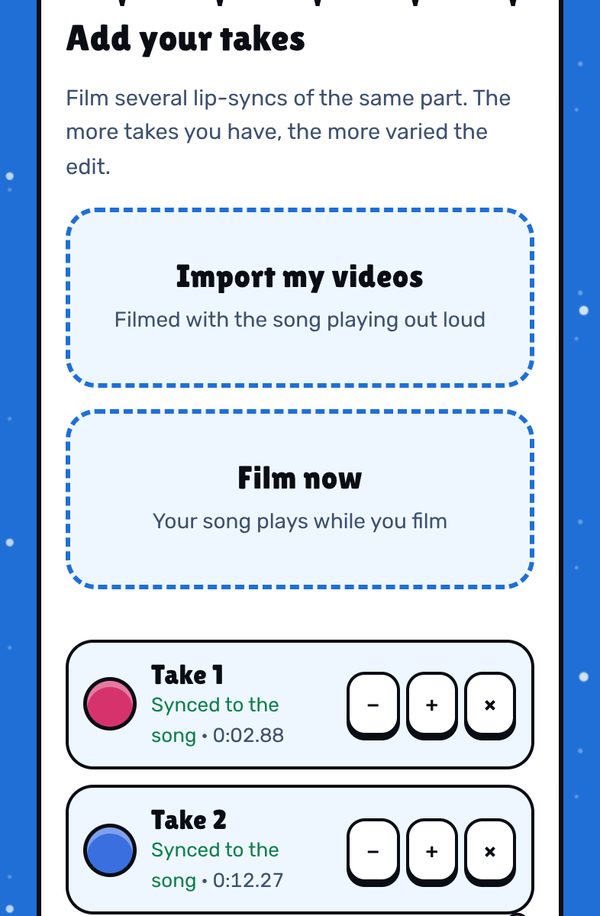
1. Add your takes. Stalak listens to each one and lines it up with the song: “Synced to the song”. Each take also has − / + and ×. 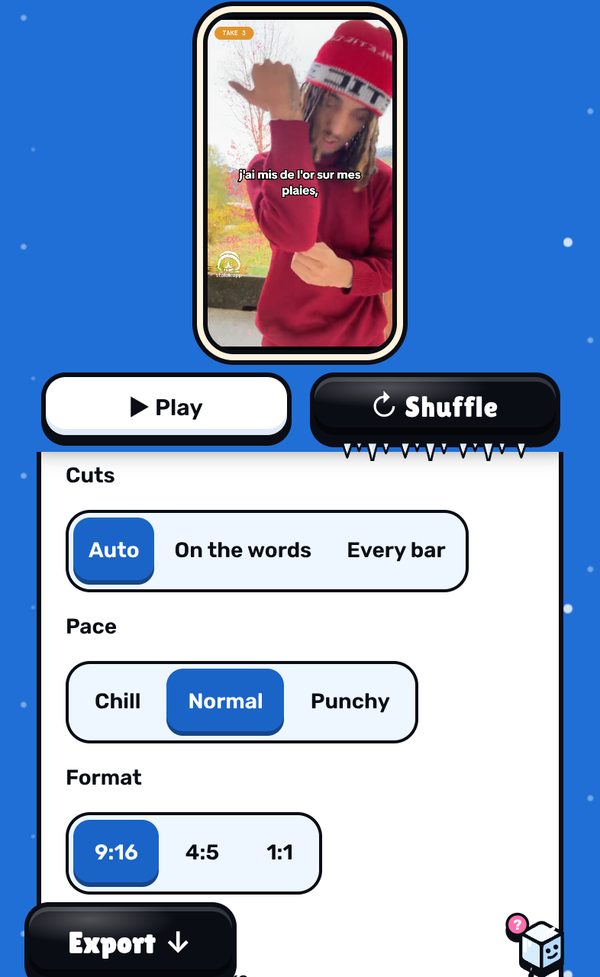
2. Check and nudge. Play the edit. If a take is a frame off, − / + move it one frame earlier or later. 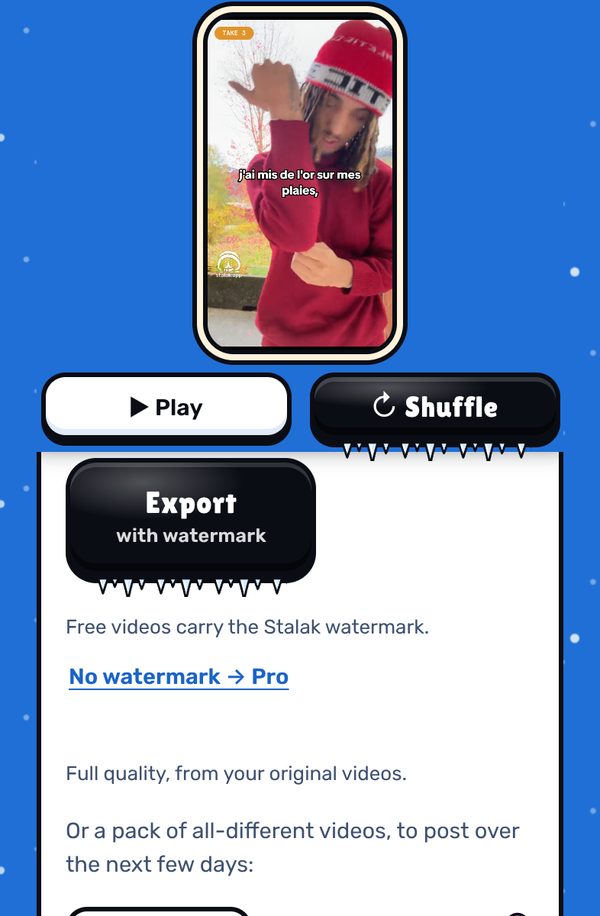
3. Export with the real song. The video carries your song file as its sound, in full quality from your original files.
Free, in your browser. No sign-up.
What’s free, what’s Pro
- Free: unlimited videos, auto cuts, lyrics one line at a time, 3 filters, 9:16 export, no ads. A small watermark (our mascot and stalak.app) on every video.
- Stalak Pro ($7.99/mo or $49.99/yr): no watermark, 16:9 music videos, karaoke and word-by-word lyrics, auto lyrics, all filters and premium effects.
- Creator Plus ($14.99/mo or $99.99/yr): everything in Pro, plus video packs, automatic cloud saving (100 GB) and “Talk to a human”.
FAQ
How do I delay a video to sync with audio?
Move the video later on the timeline, or the audio earlier, until the lips match. In Stalak, + moves a take one frame later and − one frame earlier.
Can Stalak sync a video filmed without the song playing?
Stalak lines takes up by their sound, so film with the song playing. If it can’t read a take’s sound, it tells you, and you can still place the take by hand with − / +.
Does syncing change my video’s quality?
No. Stalak only changes where the take starts; the export is made from your original files, in full quality.
Is Stalak free?
Yes. Unlimited videos, no account and no ads. Free videos carry a small watermark (our mascot’s face and stalak.app); go Pro ($7.99/mo or $49.99/yr) to export without it.
Do my videos get uploaded?
No. Editing happens in your browser, on your device. The only exceptions, if you use them: cloud projects (Creator Plus, saved automatically) and the audio sent for auto lyrics (Pro).
Stalak is made by 99Sayso, an independent rapper from the Alaska collective. He coded it to cut his own takes to the beat.