How to film yourself rapping or singing
To film yourself rapping or singing alone, set the phone at eye level on something steady, face a window or a lamp, play the song out loud and record full takes of the part. Use a timer so you’re in place when the take starts. In Stalak, Film now plays the song while you record and lines each take up for you.
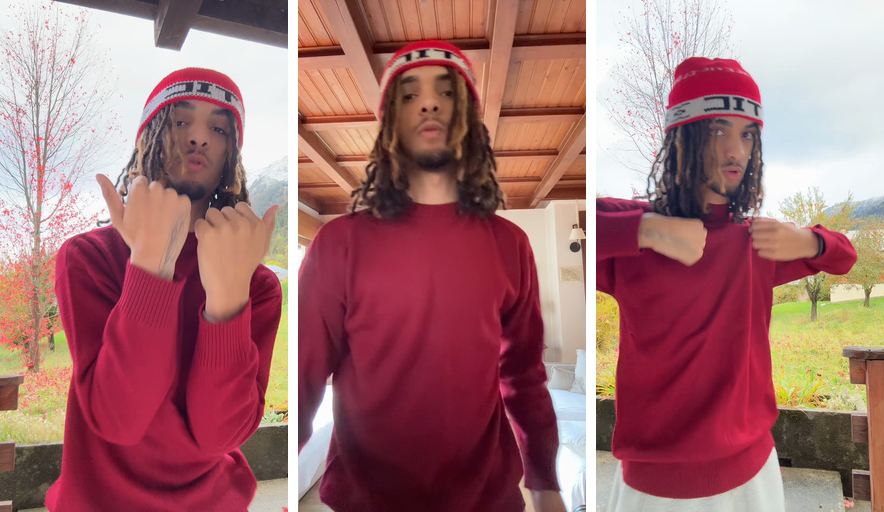
Before: 3 takes
After: Stalak’s edit
What is the best way to film yourself?
Put the phone at eye level, at arm’s length or a bit farther, on a shelf, a stack of books or a tripod. Face the light, start a timer and film the whole part each time. Watch the first take back before you film the others.
- Height: the lens at eye level. Lower makes you look bigger; higher makes you look smaller.
- Distance: head and shoulders for the bars that matter, a step back for a wide shot that shows your moves.
- Background: clear the clutter behind you, or pick a wall that says something about you.
How do you frame yourself without a camera person?
Use the front camera to set the frame, mark where you stand with tape or a shoe, then film. If your back camera is sharper, switch to it once the frame is set, and stay on your mark.
- Leave a little space above your head and room for your hands.
- Vertical for TikTok, Reels and Shorts; horizontal for YouTube.
- Do one take close and one wider: the edit can switch between them.
How do you light yourself at home?
Face a window in daylight, with the light in front of you, never behind. At night, one lamp at face height, a little to the side, beats the ceiling light. Avoid mixing daylight and lamps in the same take: your skin changes color from one side to the other.
How do you record yourself singing with music?
Play the song out loud from a speaker or a second phone while you film, so the video’s sound matches the track. The phone’s microphone picks it up, and that’s fine: it only serves to line the take up. The finished video uses the real song.
- Avoid Bluetooth earbuds: their delay makes you perform a little late.
- In Stalak, tap Film now: the song plays while you film, with a timer before the take if you want one.
- Film the part several times in a row: each take is saved and lined up, and you can go straight to the next one.
Stalak in one minute
Here’s each step in Stalak at phone size, with the takes from the example above.
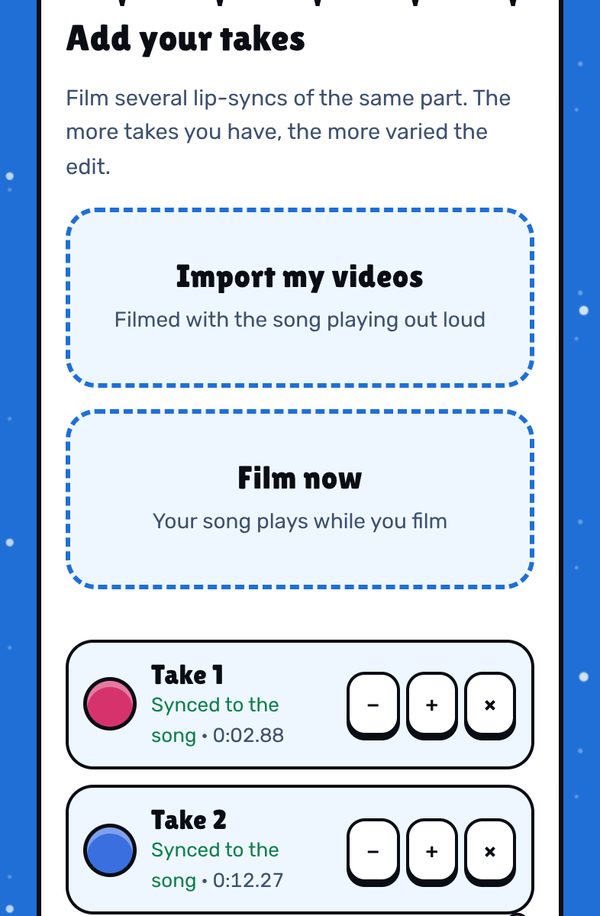
1. Tap Film now. Set the timer, switch cameras if you want, and the song plays while you film. Each take shows “Filmed here, synced”. 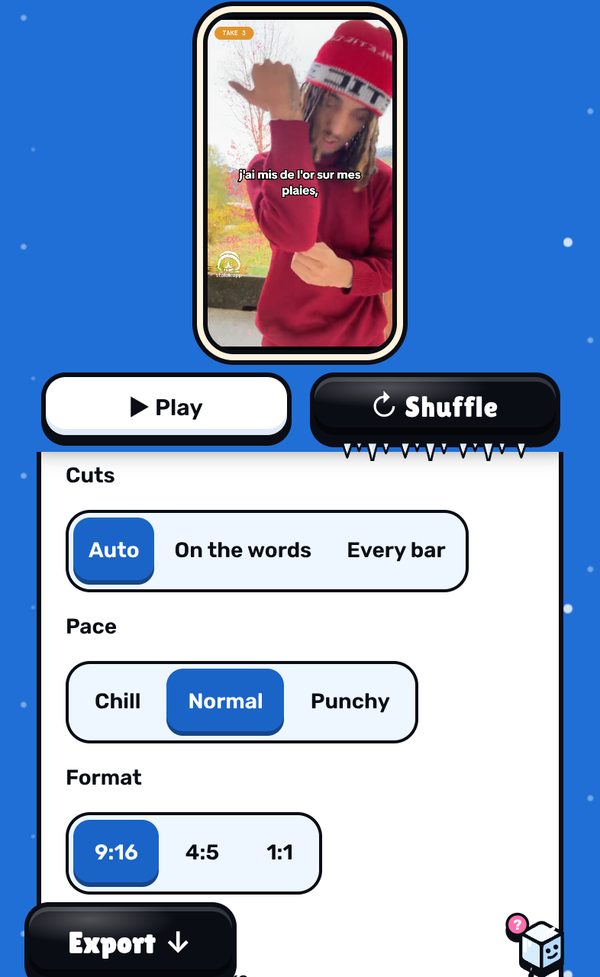
2. Watch the edit. Stalak cuts between your takes on the beat. A mistake or a laughing fit? Tap that shot, then Exclude this part. 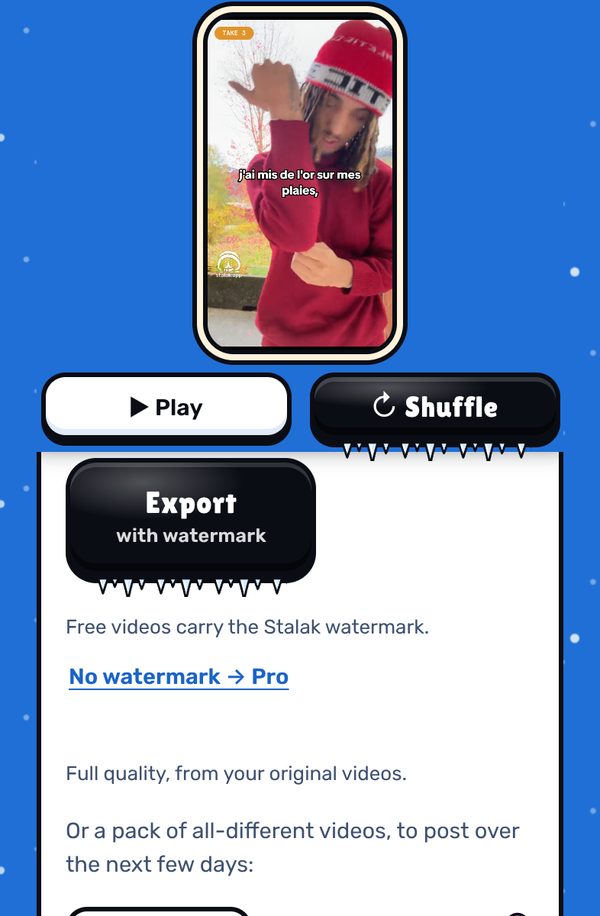
3. Export. The video is made on your device, in full quality. Free videos carry a small watermark; Pro exports without it.
Free, in your browser. No sign-up.
What’s free, what’s Pro
- Free: unlimited videos, auto cuts, lyrics one line at a time, 3 filters, 9:16 export, no ads. A small watermark (our mascot and stalak.app) on every video.
- Stalak Pro ($7.99/mo or $49.99/yr): no watermark, 16:9 music videos, karaoke and word-by-word lyrics, auto lyrics, all filters and premium effects.
- Creator Plus ($14.99/mo or $99.99/yr): everything in Pro, plus video packs, automatic cloud saving (100 GB) and “Talk to a human”.
FAQ
What app can I record myself singing with?
Your phone’s camera app works if the song plays from a speaker while you film. Stalak can also film right in the browser: tap Film now and it plays the song while you record.
Should I use the front or the back camera?
The back camera is usually sharper; the front one lets you see yourself. Set the frame with the front camera, then switch if you can stay on your mark.
How do I film myself without a tripod?
Lean the phone on a shelf, a window sill or a stack of books, at eye level. A rubber band around a mug or a bottle can hold it upright.
Is Stalak free?
Yes. Unlimited videos, no account and no ads. Free videos carry a small watermark (our mascot’s face and stalak.app); go Pro ($7.99/mo or $49.99/yr) to export without it.
Do my videos get uploaded?
No. Editing happens in your browser, on your device. The only exceptions, if you use them: cloud projects (Creator Plus, saved automatically) and the audio sent for auto lyrics (Pro).
Stalak is made by 99Sayso, an independent rapper from the Alaska collective. He coded it to cut his own takes to the beat.