How to add lyrics to a video
To add lyrics to a video, paste them one line per row, then sync each line to the moment it’s sung: by tapping along with the song, or automatically from your voice. Keep them big, short and away from the edges of the screen. Stalak does all of it in the browser, free one whole line at a time.
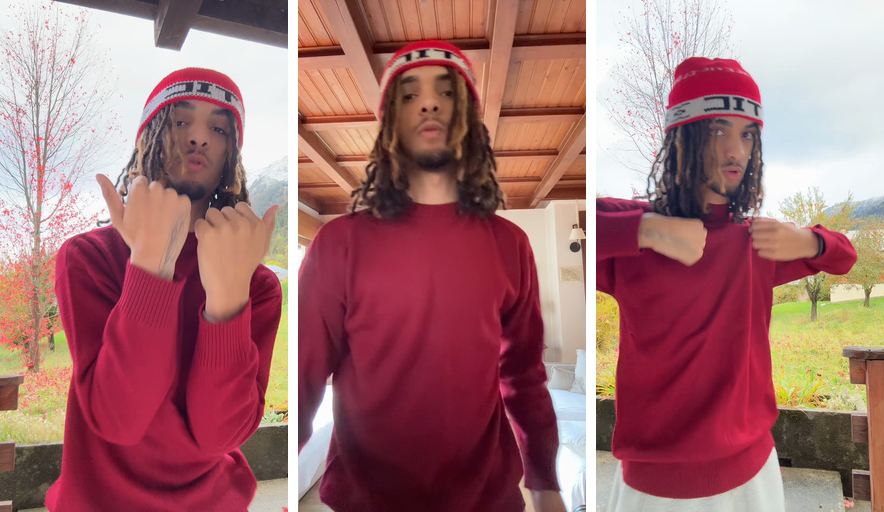
Before: 3 takes
After: Stalak’s edit
How do you put lyrics on a video so they match the song?
Split the lyrics into short lines, one per row, the way you say them. Then give each line its start: tap a button the moment each line begins, or let an app place the lines from the voice. Play it back and nudge any line that comes too early or too late.
Where should lyrics go on a TikTok, Reel or Short?
Away from the edges: the bottom of the screen holds the caption and the username, and the right side holds the buttons. The middle or the upper part of the frame is the safe spot, with big letters and an outline so they read on any background.
- Short lines read faster than long ones.
- An outline or a box keeps white letters readable on a bright shot.
- Check them on a phone, at arm’s length, before you post.
Line by line, word by word or karaoke?
Whole lines are the easiest to read and suit fast verses. Word by word shows each word as you say it, which punches up a hook. Karaoke lights up the sung word in the line, so people can sing along. In Stalak, whole lines in size M are free; word by word, karaoke and every size come with Pro.
How do you make a lyric video for your song?
A lyric video often shows only the words over a picture. If you’d rather keep your face on screen, film a few takes of you performing the song and put the lyrics over them: people follow the words and see you. Stalak is made for that: it puts your lyrics over your own takes.
Stalak in one minute
Here’s each step in Stalak at phone size, with two lines of the example’s song.
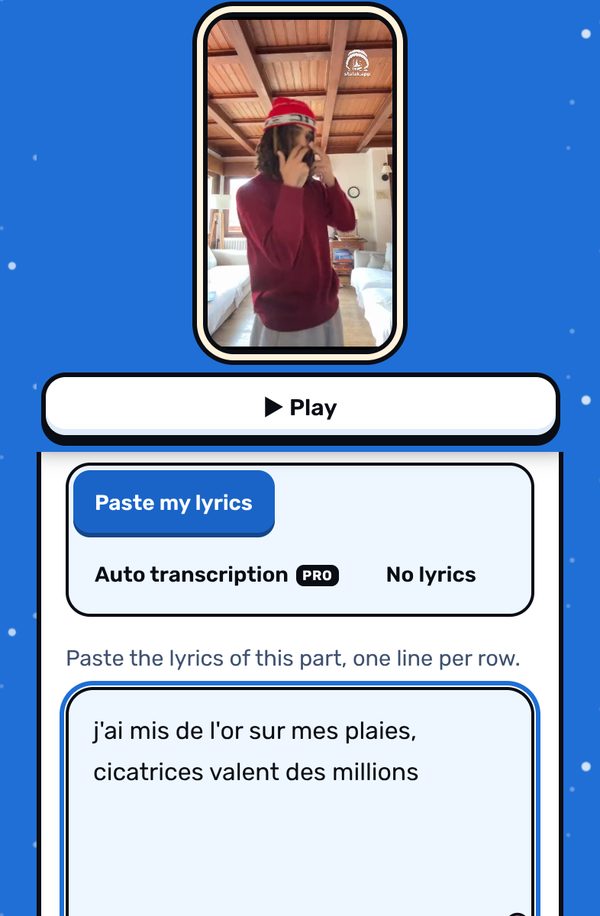
1. Paste your lyrics. One line per row, only the part you post. Or Auto transcription (Pro): Stalak writes them from your voice. 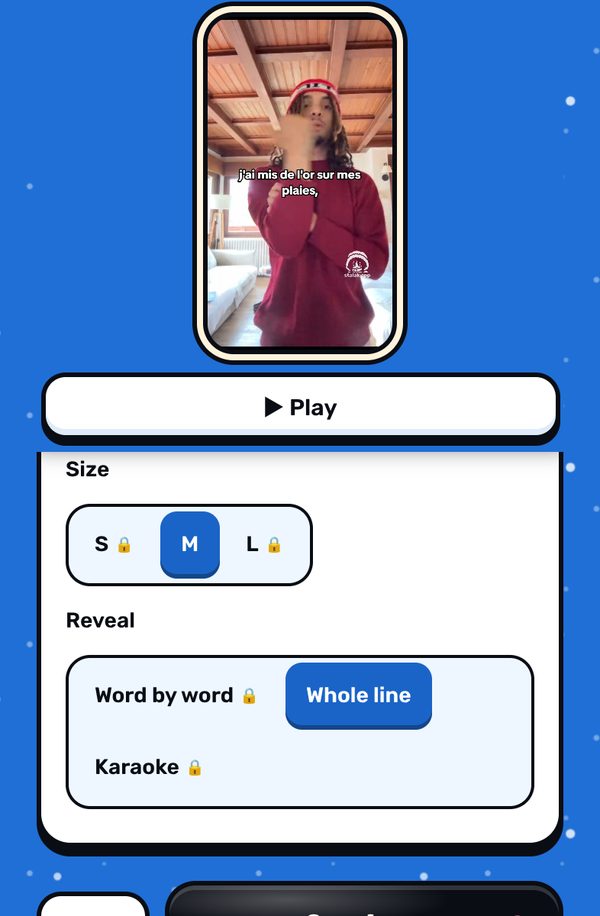
2. Sync and style them. Tap Sync automatically (Stalak places each line on your voice) or Sync by tapping. Then pick the position, font, color, size and reveal. 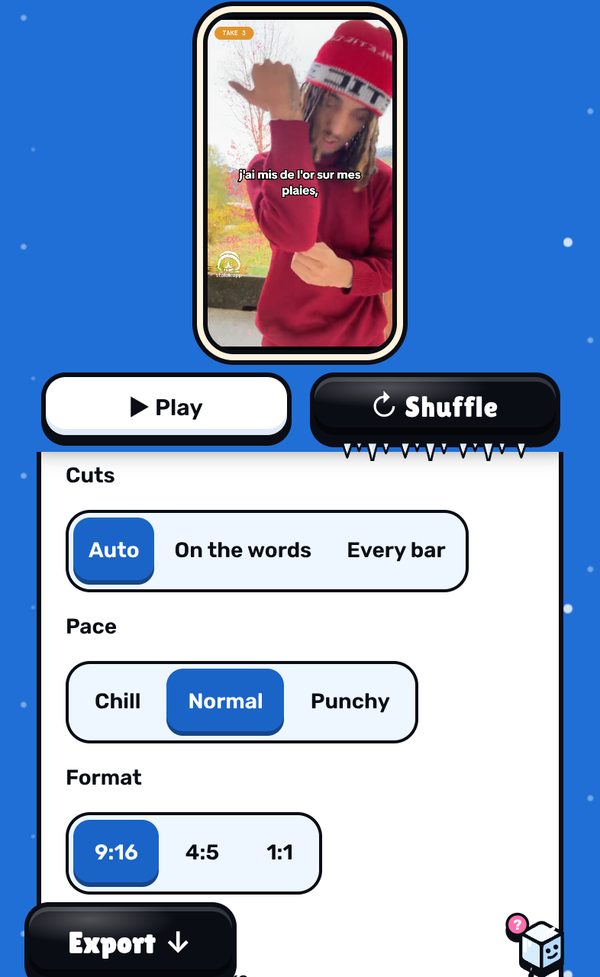
3. Check them on the video. Play the edit: each line shows up as you say it. If a line comes early or late, − / + next to it in the lyrics move it a little.
Free, in your browser. No sign-up.
What’s free, what’s Pro
- Free: unlimited videos, auto cuts, lyrics one line at a time, 3 filters, 9:16 export, no ads. A small watermark (our mascot and stalak.app) on every video.
- Stalak Pro ($7.99/mo or $49.99/yr): no watermark, 16:9 music videos, karaoke and word-by-word lyrics, auto lyrics, all filters and premium effects.
- Creator Plus ($14.99/mo or $99.99/yr): everything in Pro, plus video packs, automatic cloud saving (100 GB) and “Talk to a human”.
FAQ
How do I put lyrics on TikTok automatically?
In Stalak, paste your lyrics and tap Sync automatically: it listens to the voice in your song and places each line by itself. With Pro, Auto transcription writes the lyrics for you too, 20 times a day.
Can I add lyrics to a video for free?
Yes. On Stalak’s free plan you paste your lyrics, sync them and show them one whole line at a time, in size M. Free videos carry a small watermark.
What size should lyrics be?
Big enough to read on a phone at arm’s length, in short lines. An outline or a box behind the text keeps it readable on bright shots.
Is Stalak free?
Yes. Unlimited videos, no account and no ads. Free videos carry a small watermark (our mascot’s face and stalak.app); go Pro ($7.99/mo or $49.99/yr) to export without it.
Do my videos get uploaded?
No. Editing happens in your browser, on your device. The only exceptions, if you use them: cloud projects (Creator Plus, saved automatically) and the audio sent for auto lyrics (Pro).
Stalak is made by 99Sayso, an independent rapper from the Alaska collective. He coded it to cut his own takes to the beat.