Music video ideas you can shoot on your phone
The best low-budget music video ideas use what you already have: one strong place, a change of light or angle, your friends, and three or four full takes. Here are ideas that work with a single phone, how to film each one, and how Stalak turns the takes into one video cut on the beat.
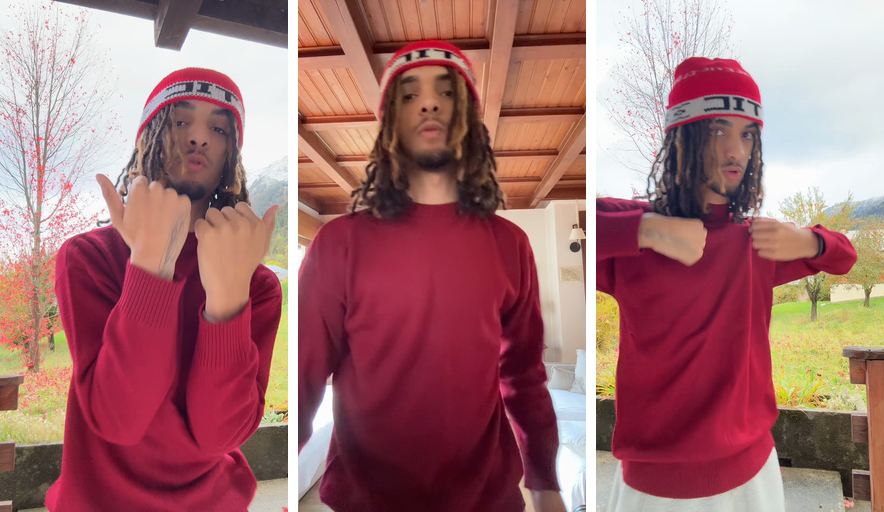
Before: 3 takes
After: Stalak’s edit
What makes a low-budget music video look good?
Clear takes and clean cuts. A phone in daylight, a steady frame and a performance you mean carry a video further than gear does. The variety comes from places, angles and light, and the edit keeps it tight by switching takes on the beat.
Music video ideas with one location
One room can give you a whole video. Film the same part from three spots in it, and change one thing each time.
- Three corners, one room. A close take by the window, a wide one from the door, one sitting on the floor.
- Day and night. One take in daylight, one at night with a single lamp as your only light.
- The mirror. Film your reflection for one take: it changes the picture without moving the phone far.
- The car. Parked at night under a street light, the windshield frames you.
Music video ideas with friends
Friends turn a lip-sync into a scene. Keep the song playing out loud, so everyone moves on the same beat.
- The crew shot. Everybody in the frame behind you, rapping the hook with you.
- One take each. Each friend films a take from where they stand, and you get angles you can’t get alone.
- The reactions. Film your friends listening to the song, and slip those shots between your takes as B-roll.
Music video ideas outside
Outside, the place does half the work. Go at sunset or at night, when the light is softer and the street is calmer.
- Walk and rap. Hold the phone at arm’s length and walk the same stretch of street for each take.
- A rooftop or a parking lot. Open space, with the city behind you.
- One spot, three times of day. Morning, sunset, night: three takes, three moods.
- Your neighborhood. The bus stop, the court, your block: places people recognize.
How do you turn the ideas into one video?
Film every idea as a full take of the same part, with the song playing out loud. Then the edit can switch between them on the beat. Shots where you don’t sing, like the street or your friends, go between your takes as B-roll.
- Film the whole part for each idea, not just a few seconds.
- Keep one outfit, or change it on purpose for each place.
- Two or three ideas are plenty for a short video; three or four keep a whole song moving.
Stalak in one minute
Here’s each step in Stalak at phone size, with three takes filmed in three places.
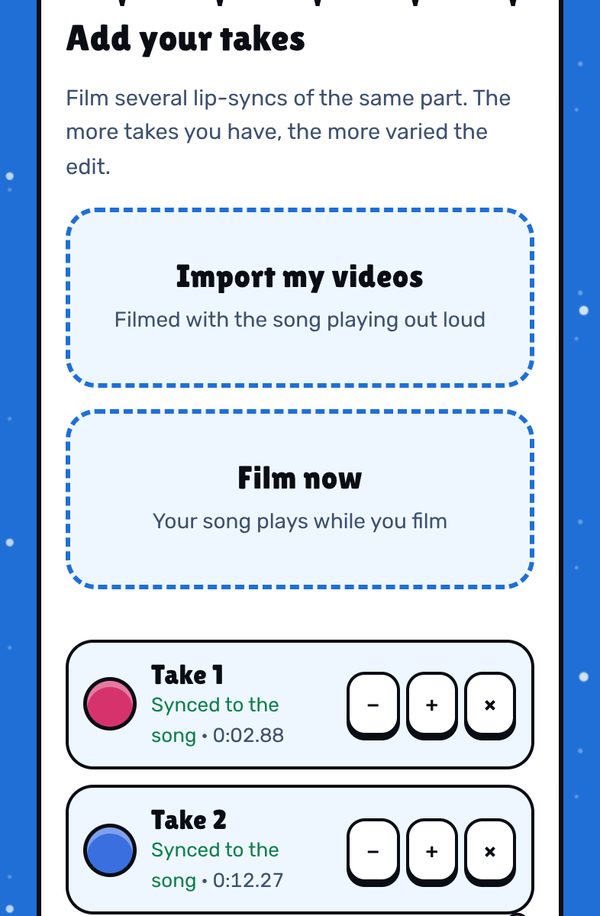
1. Add one take per idea. Each take is lined up with the song by itself: “Synced to the song”. 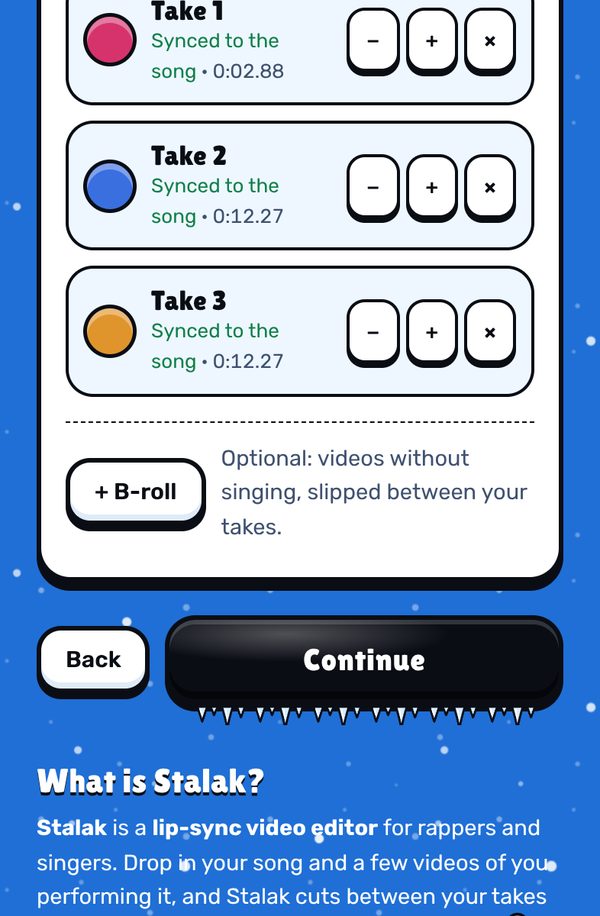
2. Add your B-roll. Tap + B-roll for the shots where you don’t sing, like the street or your friends. No need to sync them: their sound is never used. 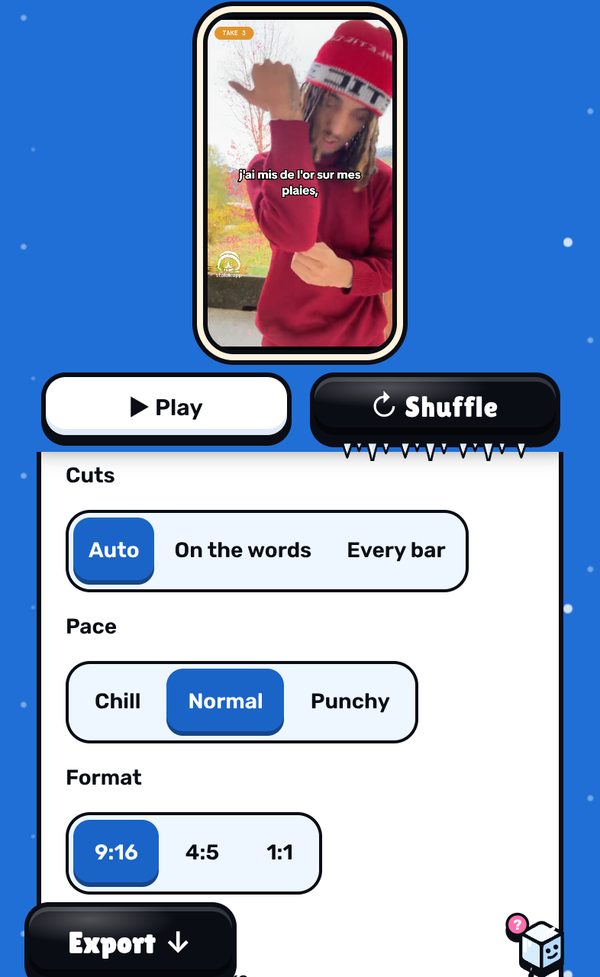
3. Shuffle the edit. Stalak cuts between the ideas on the beat. Tap Shuffle for a new order, and Keep this shot on the ones you love. 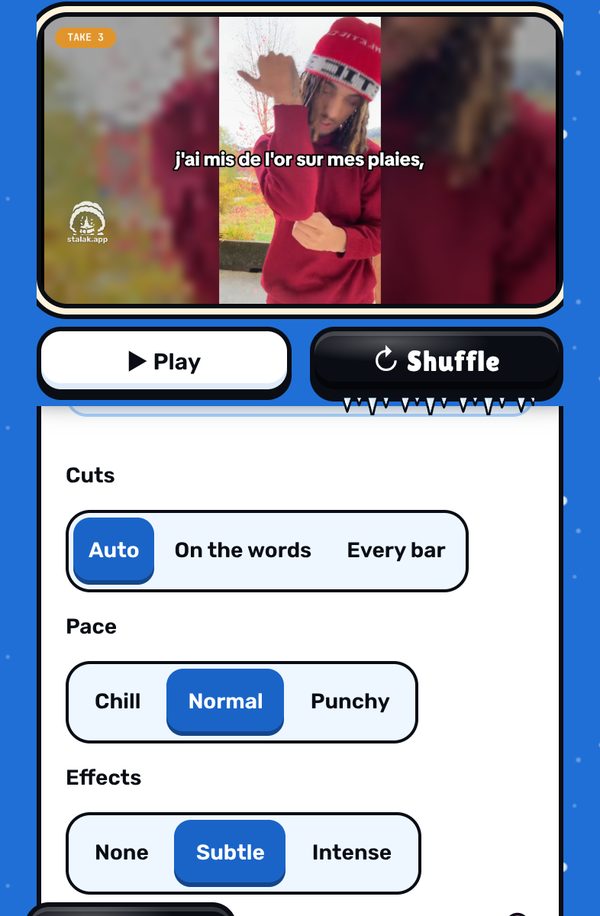
4. Want it on YouTube? Pick “Music video” at step 1: the same takes make a 16:9 video (export with Stalak Pro).
Free, in your browser. No sign-up.
What’s free, what’s Pro
- Free: unlimited videos, auto cuts, lyrics one line at a time, 3 filters, 9:16 export, no ads. A small watermark (our mascot and stalak.app) on every video.
- Stalak Pro ($7.99/mo or $49.99/yr): no watermark, 16:9 music videos, karaoke and word-by-word lyrics, auto lyrics, all filters and premium effects.
- Creator Plus ($14.99/mo or $99.99/yr): everything in Pro, plus video packs, automatic cloud saving (100 GB) and “Talk to a human”.
FAQ
How much does a low-budget music video cost?
It can cost nothing if you film it yourself with your phone, in places you can use for free. Your costs are your time and, if you want them, a small tripod or a lamp. Stalak’s free plan edits it, with a small watermark.
What are some cool ideas for music videos?
The same part filmed in three places, at night with one light, in a parked car, with your friends rapping the hook, or at one spot at three times of day. Mix them in one edit, cut on the beat.
Do I need someone to film me?
No. Set the phone on something steady, or ask a friend for the moving shots. Stalak lines every take up with the song, wherever it was filmed.
Is Stalak free?
Yes. Unlimited videos, no account and no ads. Free videos carry a small watermark (our mascot’s face and stalak.app); go Pro ($7.99/mo or $49.99/yr) to export without it.
Do my videos get uploaded?
No. Editing happens in your browser, on your device. The only exceptions, if you use them: cloud projects (Creator Plus, saved automatically) and the audio sent for auto lyrics (Pro).
Stalak is made by 99Sayso, an independent rapper from the Alaska collective. He coded it to cut his own takes to the beat.